Duplicate Plan
You can duplicate a Regular and Pool Plans when you want to create a different plan with similar settings. When you create a duplicate plan the new file carries the same name as the original with the notation Copy of.<original plan name>.
A screen capture of the Duplicate Plan dialog box is shown here.
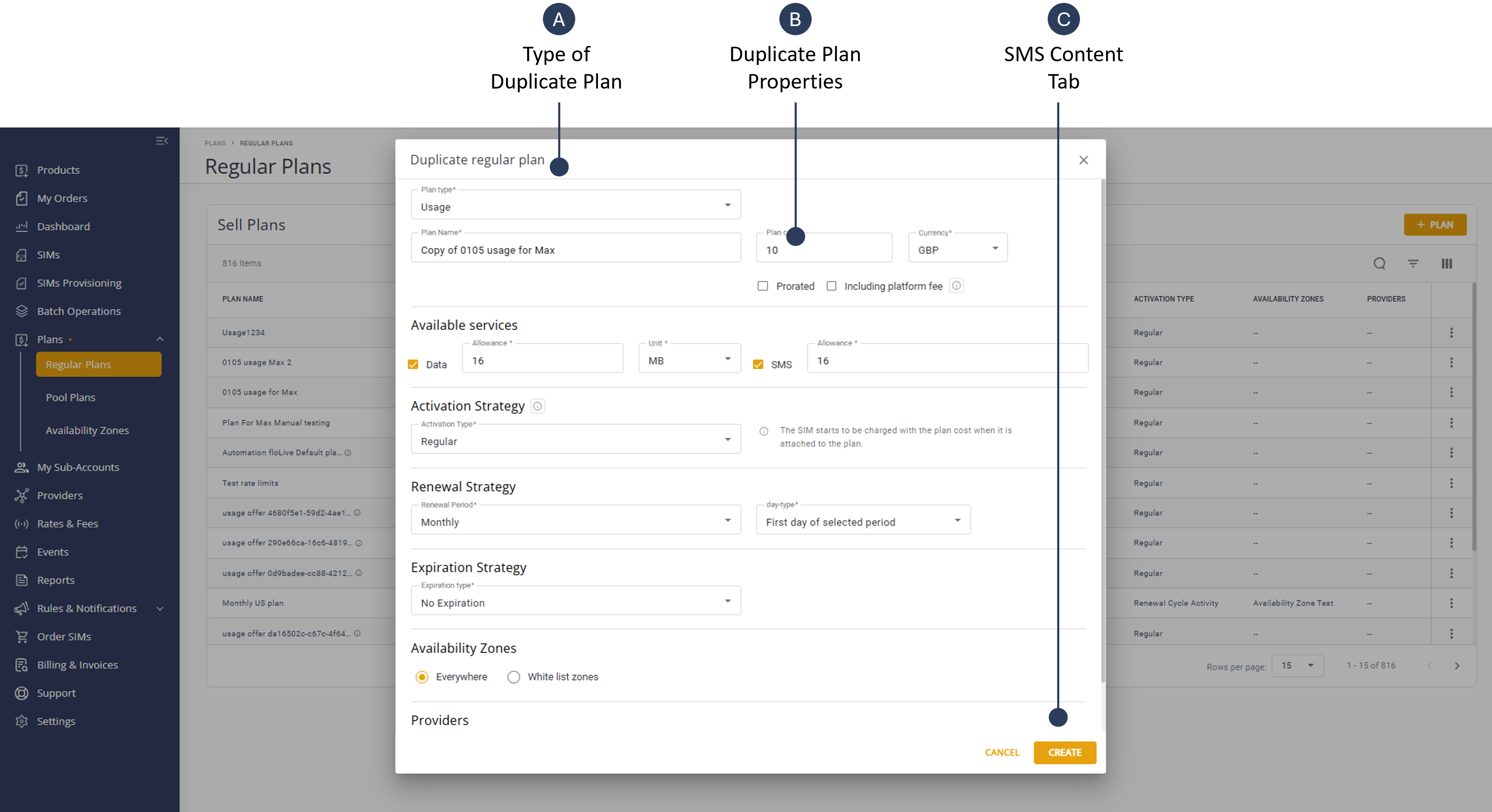
To duplicate a Plan, do these steps:
- Select Catalog |Plans from the Navigation sidebar.
- Select the Regular Plans or Pool Plans tab.
- Scroll the table and click the Actions icon for a specific plan.
- Select Duplicate Plan to display the Duplicate Plan properties dialog box.
NOTE: The Duplicate Plan dialog box contains different settings for Regular and Pool Plans
- Modify the Duplicate Plan Properties as and click Create. The new plan is added to the Billing Plan table.